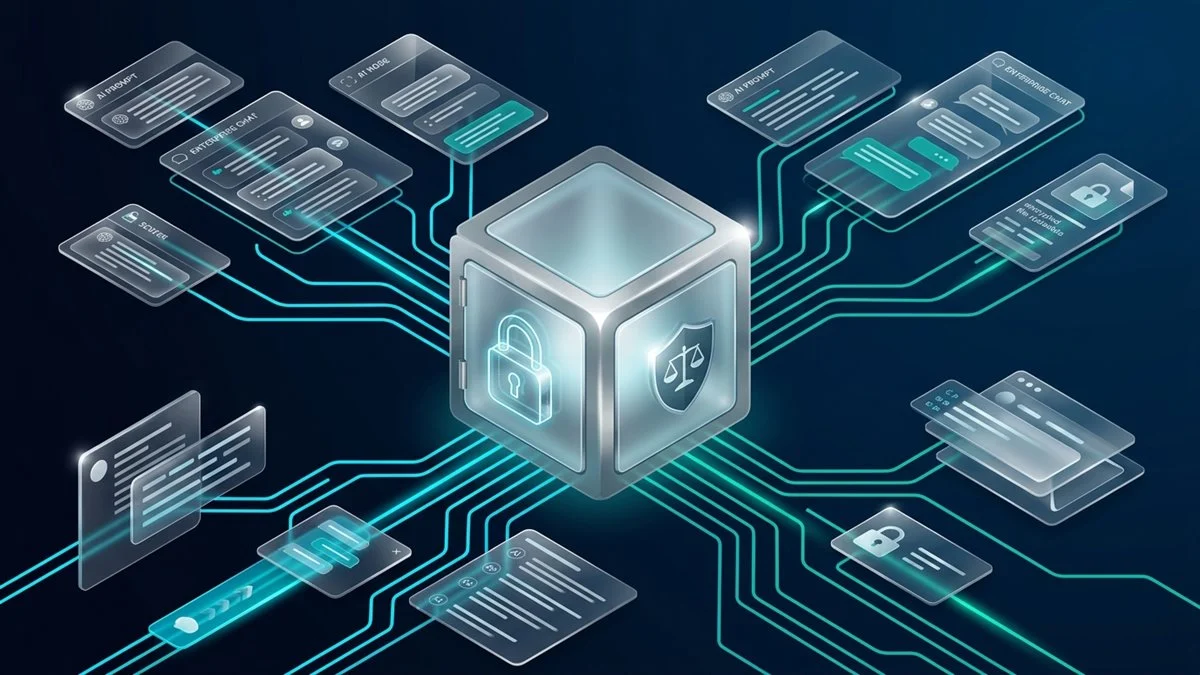
Quick Technical Overview: Are Enterprise AI & Copilot Prompts Discoverable in eDiscovery?
Yes. Under FRCP Rule 34(a)(1), Copilot prompt eDiscovery histories (alongside enterprise AI prompts), system-generated responses, and cited grounding artifacts constitute discoverable Electronically Stored Information (ESI) whenever they are within an organization’s possession, custody, or control. Legal teams must bring Microsoft 365 Copilot, Google Workspace Gemini, and enterprise LLM interaction logs under legal hold via Microsoft Purview or API compliance exports to prevent FRCP Rule 37(e) spoliation sanctions.
Executive Summary & Enterprise AI Preservation Blueprint
- Discoverability Under FRCP 34: AI prompts reveal custodian knowledge, timeline intent, and document synthesis—making prompt logs prime targets in 2026 Rule 26(f) Meet-and-Confer negotiations.
- Substrate & Audit Telemetry Capture: Preserving Microsoft 365 Copilot requires capturing both Exchange mailbox
SubstrateHoldsitems and Unified Audit LogCopilotInteractionevents with linked resource URIs. - Ephemeral AI Retention Traps: Default 30-day workspace purge cycles or unmonitored employee LLM sessions trigger acute spoliation exposure under FRCP Rule 37(e) once litigation is reasonably anticipated.
- Privilege & Work-Product Controls: Automated privilege boundary tagging and FRE 502(d) clawback orders protect prompts submitted by in-house counsel or outside litigation teams.
1. Legal Classification: Copilot Prompt eDiscovery & Enterprise AI Interactions Under FRCP 34
As generative assistants—such as Microsoft 365 Copilot, Google Workspace Gemini, Slack AI, and ChatGPT Enterprise—become embedded into daily corporate workflows, employees routinely ask AI systems to summarize sensitive Slack channels, draft executive risk memos, analyze financial spreadsheets, and synthesize internal audit findings. For litigation teams conducting enterprise AI and Copilot prompt eDiscovery, this shift creates an entirely new layer of high-signal Electronically Stored Information (ESI): the conversational record between custodian intent and corporate data.
Under Federal Rule of Civil Procedure 34(a)(1)(A), a party may request the production of any designated documents or electronically stored information “stored in any medium from which information can be obtained either directly or, if necessary, after translation by the responding party into a reasonably usable form.” Because enterprise AI platforms write user prompts, model completions, timestamp metadata, and grounded document citations to persistent tenant logs or hidden mailbox folders, those artifacts are legally indistinguishable from email, instant messages, or collaborative documents when relevant and proportional under FRCP Rule 26(b)(1).
Why Opposing Counsel Requests AI Prompt & Interaction Histories
Unlike passive document folders, AI prompt histories capture real-time custodian state of mind. In employment disputes, trade secret misappropriation, regulatory enforcement, and securities fraud matters, opposing counsel increasingly demands AI interaction logs for three core evidentiary reasons:
- Proof of Notice, Intent, and Knowledge: A prompt asking an enterprise assistant “Summarize potential safety defects in Q3 battery logs without triggering legal review” directly establishes custodian awareness and state of mind far more explicitly than sanitized final reports.
- Grounding Context Reconstruction: Modern enterprise Copilots perform Retrieval-Augmented Generation (RAG) across SharePoint, OneDrive, and Exchange. When a custodian deletes a local draft, the AI interaction audit log often retains the exact URI references, sensitivity labels, and file IDs accessed during generation.
- Verification of Document Creation & Spoliation: Comparing prompt timestamps against final document modification records exposes whether key exhibits were synthesized after litigation holds took effect or altered to conceal inconvenient evidence.
Possession, Custody, and Control Across Enterprise vs. Shadow AI Tenants
Principle 6 and Principle 8 of The Sedona Conference Principles emphasize that parties retain preservation duties over cloud-hosted systems where they exercise legal control or contractual API access rights. Enterprise-licensed AI tenants (Microsoft Purview, Google Vault, OpenAI Enterprise Compliance API) store interaction histories directly within organizational boundaries. Conversely, unapproved “Shadow AI” personal accounts create severe governance blind spots where data resides outside enterprise retention policies—exposing organizations to both data leakage and discovery disputes.
To prevent downstream motion practice, counsel must explicitly address AI prompt preservation, date windows, and exclusion protocols during the FRCP Rule 26(f) Meet-and-Confer ESI Checklist and align scope boundaries with our broader blueprint on Generative AI & LLMs in eDiscovery Defensibility.
2. Technical Architecture for Preserving & Collecting Copilot, Gemini, and Enterprise LLM Telemetry
A defensible Copilot prompt eDiscovery pipeline cannot rely on manual custodian screenshots or ad hoc exports. Because AI responses are assembled dynamically from distributed RAG indexes, a defensible collection pipeline must capture four correlated components: the exact user prompt string, the verbatims of the model completion, the telemetry audit record (timestamp, user UPN, IP, thread ID), and the immutable reference identifiers of grounded source files.
Defensible extraction architecture binding custodial AI prompt conversations, enterprise RAG citations, and Unified Audit Log metadata into review-ready evidence containers.
SubstrateHolds Copilot messages alongside Unified Audit Log CopilotInteraction JSON payloads via Graph / Compliance APIs.Platform-by-Platform Enterprise AI Forensic Storage Mapping
Legal operations engineers must understand precisely where prompt and completion records reside across each major enterprise AI ecosystem, as storage architecture directly governs whether an in-place hold actually preserves user prompts:
| AI Platform | Prompt & Response Storage Location | Audit Telemetry & Grounding Metadata | Native eDiscovery Preservation Method |
|---|---|---|---|
| Microsoft 365 Copilot | Hidden Exchange Mailbox folder (ConversationHistoryTeamChat & SubstrateHolds) | Unified Audit Log (RecordType: CopilotInteraction) storing AppHost, Resource IDs, and Thread IDs | Microsoft Purview eDiscovery (Premium) Legal Hold targeting Custodian Mailbox + SharePoint sites |
| Google Workspace Gemini | Gemini Apps Activity partition & Workspace document side-panel history | Admin Console Gemini Audit Logs (Event IDs, Drive file targets, User UPNs) | Google Vault Retention Rules & Matters applied to Gemini history + Drive/Gmail repositories |
| ChatGPT Enterprise | Encrypted tenant workspace conversation store (configurable retention) | OpenAI Enterprise Compliance API (Conversations, Uploaded File IDs, Custom GPT calls) | Scheduled Compliance API ingestion into enterprise SIEM/WORM archive or litigation hold vault |
| Slack AI | Workspace Discovery API JSON payloads (thread summaries & channel recaps) | Slack Enterprise Grid Audit Logs (ai_search_queried, source channel IDs) | Slack Enterprise Grid Discovery API export mapped to RSMF conversational containers |
Resolving the Grounded Context & Dynamic Citation Problem
A unique technical hurdle in AI prompt eDiscovery is contextual drift. Suppose a custodian prompts Microsoft 365 Copilot on November 1st: “Identify compliance gaps in the attached Q3 Audit Draft.” Copilot responds with a summary referencing live SharePoint links. By November 15th, the custodian edits or overwrites that SharePoint file.
If your collection tool extracts only the prompt text without capturing the point-in-time SharePoint file version cited inside the AccessedResources array of the audit record, the resulting review package loses evidentiary coherence. Best-in-class legal hold configurations pair Purview Mailbox holds with SharePoint/OneDrive versioning locks, ensuring both the conversational prompt and the exact cited file version remain frozen concurrently.
For teams already orchestrating Purview policies, review our companion engineering guide on Defensible Deletion & Retention Frameworks Under Microsoft Purview and our protocol on Automated Legal Hold Issuance & Custodian Tracking.
3. Mitigating FRCP Rule 37(e) Spoliation & Attorney-Client Privilege Waiver Risks
Deploying enterprise AI without synchronized legal hold governance introduces dual legal vulnerabilities: unintentional evidence destruction under FRCP Rule 37(e) and inadvertent waiver of attorney-client privilege.
1. Defeating Ephemeral Retention & FRCP 37(e) Sanctions Exposure
Many enterprise AI administrators configure aggressive automatic deletion timers (such as 7-day or 30-day prompt expiration) under the mistaken assumption that purging AI chat logs lowers privacy risk. Once an organization reasonably anticipates litigation, however, allowing routine auto-deletion scripts to purge responsive custodian AI prompts constitutes a failure to take reasonable steps to preserve ESI. Under FRCP Rule 37(e)(1), if lost prompt records cannot be restored or replaced through additional discovery and prejudice another party, the court may order punitive curative measures—or severe adverse inference sanctions under Rule 37(e)(2) if intentional purging is proven.
This mirrors the exact judicial scrutiny applied to auto-deleting workspace apps detailed in our analysis of FRCP Rule 37(e) Spoliation Sanctions Case Law and Audit-Proof Legal Hold Compliance Certification.
2. Protecting Attorney-Client Privilege & Work-Product Doctrine in AI Logs
When in-house counsel or legal analysts prompt an enterprise LLM to evaluate litigation exposure, draft witness outlines, or critique settlement strategies, those prompts and generated drafts contain protected mental impressions under the work-product doctrine (FRCP Rule 26(b)(3)). Two critical guardrails prevent privilege waiver:
- Zero-Data-Retention (ZDR) Contractual Isolation: Counsel must never input privileged client facts into consumer AI portals whose terms permit human review or model training. Enforce strict enterprise ZDR API boundaries as outlined in our Zero Data Retention & Cloud Legal AI Privacy Standards and ABA Formal Opinion 512 guidance.
- Automated Privilege Tagging & FRE 502(d) Orders: During review processing, pair automated privilege detectors (AI-Powered Privilege Classification) with a comprehensive FRE 502(d) Clawback Order covering both prompt strings and AI-summarized legal excerpts.
4. Automated AI Prompt Audit-Log Extraction & Load-File Normalization (Python Pipeline)
Raw Unified Audit Log exports and Compliance API payloads arrive as deeply nested JSON objects containing redundant system events. To ingest AI interactions cleanly into Relativity, Everlaw, or Nuix review platforms, eDiscovery engineers deploy Python normalization scripts that parse CopilotInteraction records, reconstruct parent-child thread links, bind cited resource URIs, and calculate verifiable SHA-256 cryptographic hashes for every interaction thread.
# Enterprise Copilot & LLM Audit Log Normalization Engine (FRCP 34 / FRE 902(14))
import hashlib, json, uuid
from datetime import datetime, timezone

def normalize_copilot_audit_record(raw_audit_event: dict) -> dict:
    """
    Parses a raw Microsoft Unified Audit Log (CopilotInteraction) JSON payload
    and outputs an eDiscovery-ready, hash-verified conversational evidence record.
    """
    audit_data = json.loads(raw_audit_event.get("AuditData", "{}"))
    copilot_detail = audit_data.get("CopilotEventData", {})

    custodian_upn = audit_data.get("UserId", "unknown@enterprise.com")
    timestamp_utc = audit_data.get("CreationTime")
    thread_id = copilot_detail.get("ThreadId") or str(uuid.uuid4())
    app_host = copilot_detail.get("AppHost", "Microsoft_Teams_Or_Office")

    # Extract exact grounded SharePoint/OneDrive documents accessed by RAG
    accessed_resources = []
    for res in copilot_detail.get("AccessedResources", []):
        accessed_resources.append({
            "resource_id": res.get("Id"),
            "name": res.get("Name"),
            "type": res.get("Type"),
            "sensitivity_label_id": res.get("SensitivityLabelId"),
            "action": res.get("Action")
        })

    # Construct normalized conversational review envelope
    normalized_record = {
        "evidence_schema": "DTL_AI_ESI_v1.2",
        "custodian": custodian_upn,
        "thread_id": thread_id,
        "app_host": app_host,
        "event_timestamp_utc": timestamp_utc,
        "contexts": copilot_detail.get("Contexts", []),
        "grounded_source_count": len(accessed_resources),
        "grounded_sources": accessed_resources,
        "collected_at_utc": datetime.now(timezone.utc).isoformat()
    }

    # Compute canonical SHA-256 hash for FRE 902(14) chain-of-custody verification
    canonical_bytes = json.dumps(normalized_record, sort_keys=True).encode("utf-8")
    normalized_record["sha256_integrity_seal"] = hashlib.sha256(canonical_bytes).hexdigest()

    return normalized_record
Real-World Discovery Scenario: Reconstructing Pre-Litigation IP Exfiltration via Copilot Logs
In a 2026 federal trade secret dispute involving a departing VP of Product Engineering, standard endpoint forensics showed no bulk USB transfers or outbound personal emails. However, a legal team executing Copilot prompt eDiscovery extraction from Microsoft Purview interaction logs discovered a critical thread created 48 hours before resignation: the executive prompted Copilot across 14 sensitive R&D SharePoint folders to generate condensed architectural summaries, exporting the resulting markdown responses locally. By correlating CopilotInteraction audit timestamps with SharePoint file IDs, counsel established unauthorized trade secret synthesis with mathematical precision.
Preservation Best Practice: Synchronize Custodian Legal Holds With AI Audit Retention Immediately
Verify today that your Microsoft Purview, Google Vault, and OpenAI Compliance API retention policies do not exempt AI interaction partitions from active legal holds. Standard Unified Audit Logs retain basic telemetry for 180 days (or 1 year with E5/Audit Premium), whereas actual prompt payloads require active mailbox and workspace holds to prevent irreversible deletion.
5. Conclusion & Key Takeaways for Litigation Readiness
Enterprise AI assistants have permanently expanded the boundary of corporate Electronically Stored Information. Organizations that adapt their legal hold workflows, ESI protocols, and collection pipelines now will protect attorney-client privilege, satisfy FRCP Rule 34 discovery mandates, and insulate themselves against costly FRCP Rule 37(e) spoliation sanctions.
- Classify Enterprise AI Telemetry as FRCP 34 ESI: Include Copilot, Gemini, Slack AI, and ChatGPT Enterprise interaction repositories explicitly within your corporate ESI Data Map and Custodian Questionnaires.
- Override Ephemeral Auto-Purge Defaults: Ensure legal hold engines supersede short-window AI chat retention policies the moment a trigger event occurs.
- Preserve Grounding Citations Concurrently: Lock SharePoint, OneDrive, and Drive document versions referenced by AI assistants so prompt summaries retain full contextual integrity.
- Enforce Zero-Data-Retention Policies for Legal Teams: Prohibit inputting privileged client strategies into non-enterprise public LLMs to prevent third-party confidentiality waivers.
- Address AI Logs in FRCP 26(f) Conferences: Negotiate proportionality boundaries, date filters, and production formats (RSMF/JSONL) early to block burdensome blanket fishing expeditions.
- Hash Every Export at Collection: Attach SHA-256 verification manifests to normalized AI prompt bundles to support self-authentication under Federal Rule of Evidence 902(14).
6. Frequently Asked Questions (FAQ)
1. Are Microsoft 365 Copilot prompts discoverable under FRCP Rule 34?
Yes. Because enterprise Copilot prompts and responses are persistently stored within Exchange Online mailbox partitions and Microsoft Unified Audit Logs under organizational control, they qualify as discoverable ESI under FRCP 34(a)(1) whenever relevant and proportional.
2. Does a standard Microsoft Purview Mailbox Hold preserve Copilot interaction histories?
Yes, when properly scoped. Placing an Exchange Online mailbox on litigation hold in Microsoft Purview preserves Copilot prompt and response messages written to the custodian’s hidden SubstrateHolds and TeamsMessagesData folders, preventing permanent deletion by the user.
3. What is the difference between Unified Audit Logs and prompt content in AI eDiscovery?
Unified Audit Logs record event metadata—who triggered a prompt, when, in which app, and which files were referenced—whereas the full text of the prompt and AI reply resides inside the custodian’s Exchange mailbox store or Compliance API payload.
4. Can allowing AI chat histories to auto-delete trigger FRCP 37(e) spoliation sanctions?
Yes. Once litigation is reasonably anticipated, failing to suspend automated AI chat retention purges for key custodians violates preservation obligations under FRCP Rule 37(e) and can result in curative sanctions or adverse inference findings.
5. Are lawyer prompts inside enterprise AI tools protected by attorney-client privilege?
Enterprise Zero-Data-Retention (ZDR) tenants keep communications confidential within the corporate boundary, preserving attorney-client privilege and work-product protection—provided counsel avoids public non-enterprise LLMs whose terms permit third-party review or training.
6. How should AI prompt threads be produced to opposing counsel?
Best practice under FRCP 34 is exporting prompt threads alongside timestamp metadata and cited document IDs into Relativity Short Message Format (RSMF), normalized JSONL, or searchable PDF load files linked to Bates numbers.
7. Recommended Internal Resources
- Generative AI & Large Language Models (LLMs) in eDiscovery: Applications & Defensibility
- Defensible Deletion Frameworks: Implementing Data Retention Under Purview
- FRCP Rule 37(e) Spoliation Sanctions: Evidentiary Standards & Case Law
- Zero Data Retention & Privacy Compliance in Cloud Legal AI APIs
- FRCP Rule 26(f) Meet-and-Confer Preparation: ESI Checklist for Counsel